
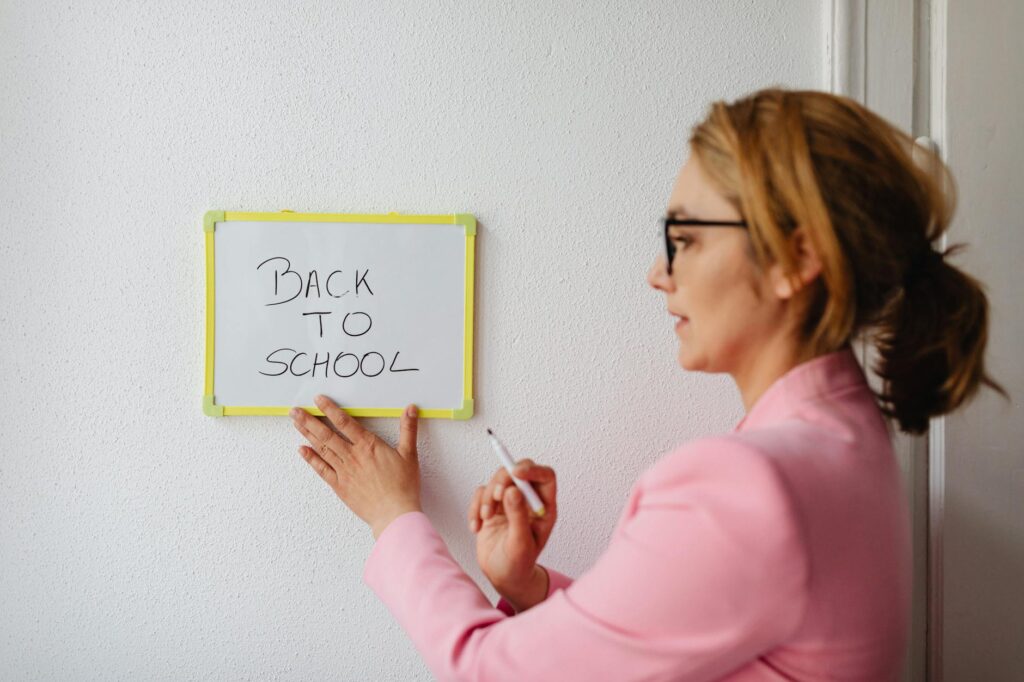
Teaching is an undeniably demanding profession. Balancing lesson delivery, grading, assessments, and the dynamic needs of a classroom can make planning feel like an insurmountable task. For years, many educators have grappled with feeling perpetually behind, dedicating countless hours to getting ahead, only to find themselves overwhelmed again midway through the week. Mastering effective teacher planning tools is fundamental to establishing a sustainable and manageable teaching rhythm.
Last updated: April 26, 2026
With extensive experience in education, a refined system has been developed through experimentation with various digital and analog methods. The right planning tools do more than just organise lessons; they reclaim precious time, reduce stress, and enable educators to be more present and effective. This article shares practical strategies and specific tools that have transformed teaching practices.
Latest Update (April 2026)
Recent developments in educational technology, particularly the integration of Artificial Intelligence (AI), are offering new avenues for streamlining teacher planning. As reported by organisations like The World Economic Forum, AI tools are being explored to assist teachers with tasks such as generating lesson ideas and differentiating instruction. OpenAI has introduced free versions of ChatGPT specifically for teachers, aiming to provide accessible AI support. According to Geeky Gadgets, as of April 2026, six new teacher-specific Copilot AI tools have been unlocked within Microsoft 365, further expanding AI’s role in educational efficiency. And, EdSurge reported in August 2025 that teachers are actively trying to reclaim time using these AI tools. These advancements, alongside ongoing discussions about the impact of instructional design on teaching materials, as noted by Frontiers, highlight the evolving world of teacher planning.
As of April 2026, technology plays an increasingly significant role in teacher retention and burnout reduction. EdTech Magazine highlights that IT’s role in teacher retention hinges on smart technology decisions that reduce burnout. This aligns with a recent trend where 80% of teachers are actively using AI tools in the classroom, according to THE Journal: Technological Horizons in Education. And, Education Week’s recent opinion piece explored how AI shapes teachers’ well-being, finding that while AI offers significant potential for efficiency, its effective integration requires careful consideration of its impact on educators’ mental load and overall well-being.
The ETIH Innovation Awards, as reported by EdTech Innovation Hub, are currently testing the real classroom impact of the best teacher empowerment tools, signaling a move towards evaluating technology based on tangible benefits for educators. These developments collectively underscore the rapid evolution of educational technology and its direct influence on the teaching profession in 2026.
Why Smart Planning Tools Are Your Best Friend (and Sanity Saver)
The initial years of teaching can often feel like a blur of late nights and early mornings, a constant struggle to keep pace. Spending hours on meticulously detailed lesson plans that are quickly disrupted by unexpected school events or assemblies can lead to burnout and a persistent feeling of unpreparedness. This underscores the critical importance of investing time in understanding and utilising effective teacher planning tools.
Effective planning transcends merely knowing what to teach. It involves creating a flexible roadmap that conserves time, alleviates stress, and fosters greater adaptability within the classroom. A well-structured planning system frees up valuable mental energy, allowing educators to focus on actual teaching and the cultivation of meaningful relationships with their students. When planning is organised, educators consistently report feeling calmer, more creative, and more fulfilled in their profession, which contributes significantly to professional longevity and job satisfaction.
Smart planning tools empower educators to anticipate challenges, prepare differentiated resources, and build in contingency time. This proactive approach contrasts sharply with reactive planning, which often results in rushed lessons and increased anxiety. By embracing efficient planning methodologies, teachers can shift their focus from merely managing tasks to truly enhancing the learning experience for every student. Tools that offer intuitive interfaces and solid features allow for quick adjustments, ensuring that lesson plans remain relevant and effective even when faced with unforeseen circumstances.
My Go-To Digital Teacher Planning Tools
In recent years, digital teacher planning tools have become indispensable for many educators, offering unparalleled flexibility, ease of sharing, and efficient updating capabilities. Based on extensive educator feedback and recent reviews from 2015 onwards, these tools have proven particularly valuable:
Digital Planners & Lesson Organizers
From straightforward spreadsheets to specialised applications, digital planners serve as excellent tools for both long-term academic year mapping and short-term daily organisation. Educators widely employ these for charting out academic calendars, unit plans, and daily schedules. Google Calendar remains a highly recommended tool for visualizing the entire academic year. It allows for intuitive colour-coding of different subjects, scheduling recurring events, and embedding direct links to lesson resources within event descriptions, making it invaluable for a week-at-a-glance or term-at-a-glance overview.
For managing project-based learning initiatives or breaking down larger instructional units, Kanban-style board tools like Trello or Microsoft Planner are exceptionally useful. Educators can create custom boards with columns such as ‘To Do,’ ‘In Progress,’ and ‘Done.’ This visual workflow helps to deconstruct complex planning tasks into more manageable steps, with each digital card representing a specific lesson, resource, or assessment task. This methodology enhances clarity and progress tracking.
Dedicated lesson planning software, such as Planboard by Chalk or Planbook Edu, offers structured templates designed specifically for educators. These platforms often integrate with school learning management systems (LMS) and allow for the attachment of digital files, links to online resources, and notes on differentiation strategies. Users report that these tools significantly reduce the time spent on administrative planning, allowing more time for instructional design and student engagement.
Collaborative Platforms
Teaching is inherently a collaborative endeavor. The ability to share and co-create lesson plans saves significant time and promotes essential consistency across grade levels or academic departments. Since 2018, numerous educational institutions have adopted platforms specifically designed to facilitate this collaboration:
Google Drive and Microsoft Teams have become cornerstones for shared digital workspaces. These platforms allow teaching teams to establish subject-specific folders for weekly lesson plans, curated resources, and assessment data. This structure ensures easy access for all team members and encourages contributions, keeping everyone aligned and enabling smooth continuity of instruction, even when colleagues are unexpectedly absent.
Platforms like Slack or dedicated educational collaboration tools can also foster communication among teaching teams. They provide channels for quick questions, resource sharing, and collective problem-solving, which is especially valuable for addressing emergent instructional needs. This constant line of communication ensures that planning remains a dynamic and responsive process, rather than a static, one-time activity.
Assessment & Tracking Software
While often mandated by educational institutions, the effective utilization of Management Information Systems (MIS) or well-designed custom spreadsheets is a vital component of the teacher planning toolkit. Quick and reliable access to student progress data is absolutely essential for efficiently tailoring lessons, identifying learning gaps, and implementing timely interventions. Educators consistently report that reviewing assessment data through these systems allows them to make informed instructional decisions, moving beyond one-size-fits-all approaches.
Modern assessment platforms, such as PowerSchool, Infinite Campus, or even integrated features within LMS like Canvas or Schoology, provide solid analytics. These features can highlight class-wide trends and individual student performance metrics. Teachers can use this data to adjust pacing, provide targeted support, or enrich learning for advanced students. The ability to track progress over time within these systems is invaluable for demonstrating student growth and informing future planning cycles.
AI-Powered Planning Assistants
The integration of AI into teacher planning is rapidly expanding. As of April 2026, AI tools are moving beyond theoretical exploration into practical application. OpenAI’s ChatGPT, particularly its free versions tailored for educators, allows teachers to generate lesson outlines, create differentiated activity ideas, and even draft assessment questions. Microsoft 365 Copilot now includes six teacher-specific AI tools, according to Geeky Gadgets, which can assist with tasks ranging from summarizing student feedback to generating personalized learning pathways.
These AI assistants can significantly reduce the time spent on initial drafting and idea generation. For instance, a teacher could input learning objectives and grade level, and the AI could suggest multiple lesson activities, complete with learning outcomes and potential assessment methods. While AI provides powerful starting points, educators emphasize that human oversight remains critical for ensuring pedagogical soundness, cultural relevance, and alignment with specific classroom contexts. As reported by Education Week, understanding how AI shapes teachers’ well-being is a key focus, suggesting that while AI can reduce workload, its integration must be thoughtful to support, not overwhelm, educators.
and, AI can assist in analysing student work for common misconceptions or areas of struggle, providing insights that might be time-consuming to identify manually. Tools that integrate AI for grading or feedback generation can free up substantial time, allowing teachers to concentrate on higher-level planning and direct student interaction. As THE Journal recently reported, 80% of teachers are now using AI tools, indicating a widespread adoption and reliance on these technologies for classroom efficiency.
Analog Tools Still Have a Place
Despite the rise of digital solutions, traditional analog tools remain highly effective for certain aspects of teacher planning. Many educators find that the tactile experience of writing or sketching ideas can foster deeper engagement and creativity.
Physical Planners and Bullet Journals
Traditional paper planners, academic diaries, and bullet journals offer a distraction-free planning environment. The physical act of writing can aid memory retention and help teachers visualize their week or month in a tangible way. Bullet journaling, with its customizable layouts, allows for flexible tracking of tasks, habits, and reflections, tailored precisely to an individual teacher’s needs.
For educators who prefer a less screen-dependent approach, these analog tools provide a valuable alternative or supplement to digital systems. They can be particularly useful for brainstorming creative lesson ideas, jotting down observations about student behaviour, or mapping out long-term projects without the interruptions of digital notifications.
Whiteboards and Sticky Notes
Classroom whiteboards or large wall calendars serve as excellent visual planning tools for the entire class or school year. Teachers can map out major assignments, test dates, and school events, making them visible to students and colleagues. Sticky notes are incredibly versatile for quick task management, idea generation, or creating flexible lesson sequences that can be easily rearranged.
These tools encourage a dynamic, visual approach to planning. For instance, a teacher could use sticky notes to represent different lesson components, moving them around on a whiteboard to experiment with different instructional flows before committing to a digital plan. This hands-on method can spark innovative lesson design and ensure that pacing and transitions are well-considered.
Integrating Digital and Analog Tools
The most effective teacher planning systems often blend the strengths of both digital and analog approaches. This hybrid model offers the best of both worlds: the accessibility and sharing capabilities of digital tools, combined with the focused, tangible nature of analog methods.
For example, a teacher might use a digital tool like Google Calendar to map out the entire academic year, including major deadlines and school holidays. Then, for weekly or daily planning, they might use a bullet journal to flesh out lesson details, brainstorm activities, and reflect on student progress. Key information from the bullet journal, such as specific learning objectives or materials needed, can then be quickly transferred back into the digital calendar or a dedicated lesson planning app.
Another strategy involves using digital tools for collaborative planning and resource storage (e.g., Google Drive, Microsoft Teams), while using a physical whiteboard for daily task management and quick brainstorming sessions. This ensures that important collaborative decisions are documented digitally, while immediate, flexible planning needs are met with analog tools. The key is to create a workflow that minimizes duplication of effort and maximizes efficiency.
Frequently Asked Questions
What are the benefits of using AI planning tools for teachers?
AI planning tools can automate time-consuming tasks such as generating lesson ideas, creating differentiated activities, drafting assessments, and analysing student data. This automation frees up significant time for educators to focus on direct instruction, student relationships, and personalized support. As reported by THE Journal, 80% of teachers are using AI tools, highlighting their perceived value in enhancing efficiency and reducing workload.
How can teachers ensure AI tools enhance, rather than hinder, their well-being?
Ensuring AI tools support teacher well-being involves mindful integration. Educators should use AI as an assistant, not a replacement for professional judgment. Setting clear boundaries for AI use, critically evaluating AI-generated content for pedagogical accuracy and appropriateness, and focusing on AI tools that automate repetitive tasks can prevent over-reliance and reduce cognitive load. Education Week’s research into how AI shapes teachers’ well-being emphasizes the importance of thoughtful implementation and ongoing professional development.
Are there free digital planning tools available for teachers in 2026?
Yes, numerous free digital planning tools are available. Google Calendar, Google Drive, and Trello offer solid free versions suitable for lesson planning and organisation. OpenAI provides free versions of ChatGPT specifically for educators. Many LMS platforms also offer free basic features for lesson planning and content organisation.
How do collaborative platforms improve teacher planning?
Collaborative platforms like Google Drive and Microsoft Teams allow teachers to share lesson plans, resources, and assessment data in real-time. This facilitates co-teaching, ensures curriculum consistency across grade levels, and provides easy access to materials when a teacher is absent. This shared approach enhances efficiency and promotes a more cohesive instructional environment.
Can analog planning tools still be effective in 2026?
Absolutely. Analog tools like physical planners, bullet journals, whiteboards, and sticky notes offer benefits such as reduced digital distraction, improved memory retention through handwriting, and flexible visual planning. Many educators find a hybrid approach, combining digital organisation with analog brainstorming and reflection, to be the most effective for their needs.
Conclusion
Effective teacher planning in 2026 requires a strategic approach that uses the best available tools, whether digital, analog, or a combination of both. The rapid advancements in AI offer unprecedented opportunities to simplify administrative tasks and enhance instructional design, as evidenced by recent reports from EdTech Magazine and THE Journal. However, the human element remains paramount. Educators must critically select and implement tools that not only boost efficiency but also support their well-being and pedagogical goals, as highlighted by research from Education Week. By thoughtfully integrating technology and maintaining a focus on core teaching principles, educators can create more manageable workloads, reduce stress, and ultimately foster more engaging and effective learning environments for their students.
Source: edX
Editorial Note: This article was researched and written by the Class Room Centre editorial team. We fact-check our content and update it regularly. For questions or corrections, contact us. Knowing how to address Teacher planning tools early makes the rest of your plan easier to keep on track.


