
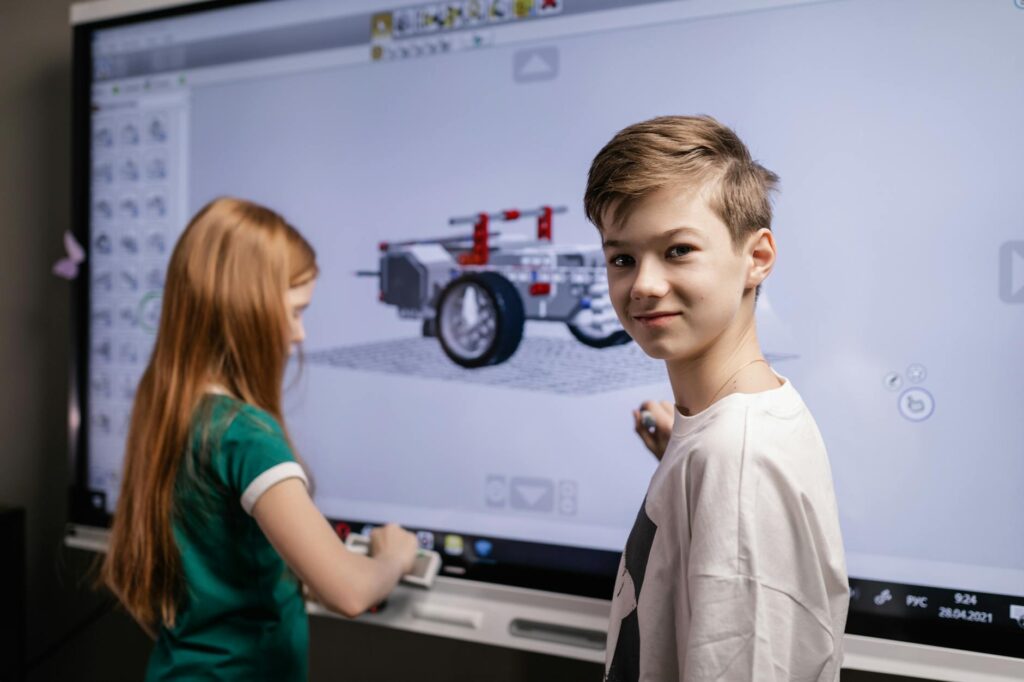
This guide covers everything about classroom.center. Most educators are already stretched thin, yet the promise of a tool that simplifies planning, enhances engagement, and streamlines administration lands on their desks daily. Is classroom.centre one such tool, or just another digital distraction? As of May 2026, its increasing visibility warrants a closer look.
Last updated: May 5, 2026
Key Takeaways
- Classroom.centre offers a centralized hub for lesson planning, resource sharing, and communication, aiming to reduce teacher workload.
- Its integration capabilities with existing school systems could be a significant advantage, but compatibility needs careful verification.
- While promising enhanced engagement, actual impact depends heavily on pedagogical strategy and teacher training.
- Early adopters report mixed results, highlighting the importance of context-specific implementation rather than a one-size-fits-all approach.
- The long-term value of classroom.centre hinges on its adaptability to evolving educational needs and its ability to foster genuine learning communities.
What is Classroom.centre? A New Hub for Educators
Classroom.centre presents itself as an integrated digital platform designed to consolidate various pedagogical and administrative tasks for educators. It aims to be a central nervous system for the classroom, offering tools for lesson plan creation, assignment distribution, student progress tracking, and communication with pupils and parents.
Think of it as a digital workbench. Instead of juggling separate apps for timetables, homework submission, and marking, classroom.centre aggregates these functions into a single interface. This consolidation is its primary selling point, promising to reclaim valuable time that teachers can then reinvest into direct pupil interaction or professional development.
For instance, a teacher might use classroom.centre to quickly pull up a lesson plan for Year 9 Math, assign a set of practice problems, and then monitor individual pupil performance on those problems in real-time. The platform’s proponents suggest this smooth flow reduces the friction often associated with managing digital resources.
Deconstructing the Core Features: Beyond the Hype
The appeal of any educational technology, including classroom.centre, lies in its tangible features. As of May 2026, the platform boasts several key modules. These include a sophisticated lesson planner that can link directly to curriculum standards, an assignment portal that allows for various submission formats (text, images, even short videos), and a grading interface that can offer automated feedback for objective questions.
Beyond these core functions, classroom.centre often highlights its communication tools. These are designed to facilitate instant messaging between teachers, pupils, and parents, as well as broadcast important announcements. The idea is to create a more connected and informed learning ecosystem, reducing reliance on fragmented email chains or paper notes.
Another feature frequently mentioned is its resource library. Classroom.centre allows teachers to upload, organise, and share teaching materials—from worksheets and presentations to external web links and video content. The platform’s proponents claim that a well-populated and organised library can become a significant asset, especially within multi-academy trusts (MATs) where sharing best practices is crucial.
The Promise of Enhanced Pupil Engagement: A Critical Look
One of the most frequently cited benefits of platforms like classroom.centre is their potential to boost student engagement. The argument is that interactive features, immediate feedback mechanisms, and the very novelty of a digital interface can capture the attention of today’s digitally-native learners more effectively than traditional methods.
However, it’s crucial to differentiate between engagement and effective learning. A pupil might be actively interacting with a digital platform, but this interaction doesn’t automatically translate into deeper understanding or improved academic outcomes. The pedagogical approach behind the tool is paramount. A poorly designed activity on classroom.centre can be just as disengaging as a dull lecture.
For example, a Year 7 science teacher might use classroom.centre for a virtual dissection. If the simulation is clunky, the instructions unclear, and the post-activity assessment superficial, the pupils may have spent time clicking buttons but learned little. Conversely, a well-structured virtual experiment, guided by clear learning objectives and followed by thoughtful debriefing, could be highly effective. The platform is merely the conduit; the teaching quality remains the critical factor.
Streamlining Teacher Workload: Reality vs. Expectation
The allure of reduced teacher workload is a powerful motivator for adopting new technologies. Classroom.centre promises to achieve this through automation and centralization. By automating tasks like attendance tracking, basic grading, and assignment distribution, it aims to free up teachers’ time.
In practice, the impact on workload can be a double-edged sword. While some administrative burdens may lessen, new demands often arise. These can include the time required to learn the platform, troubleshoot technical issues, adapt existing lesson plans to fit the new digital format, and manage the increased communication channels it opens.
A primary school teacher in Leeds, for instance, found that while distributing homework via classroom.centre was quicker, the volume of parent queries generated through the platform’s messaging system significantly increased her out-of-hours workload. This highlights that workload shifts rather than disappears entirely. The key is whether the shift leads to more meaningful work or simply a different kind of burden.
Integration and Compatibility: The Technical Hurdles
For any platform aiming to become central to a school’s operations, smooth integration with existing systems is non-negotiable. This includes compatibility with school information systems (SIS), learning resources managed by the Department for Education (DfE), and potentially other third-party educational software used by the institution.
As of May 2026, classroom.centre claims strong integration capabilities. However, the reality in UK schools can be complex. Legacy systems, custom-built databases, and varying IT infrastructure across different schools (and even within large MATs) can present significant challenges. A platform that works perfectly for one school might require substantial customization or prove incompatible with another’s setup.
For example, a school using a specific pupil tracking software might find that classroom.centre can only export data in a basic CSV format, requiring manual re-entry or complex data mapping. The Energy and Environmental Laboratory (EEL) at one university found that while a new system promised integration, its API was poorly documented, making custom integration prohibitively expensive for their budget.
Implementation Strategies: Making Classroom.centre Work
Simply purchasing a subscription to classroom.centre is unlikely to yield positive results. Effective implementation requires a strategic approach, focusing on pedagogical goals and providing adequate support for staff. This is where many initiatives falter.
A phased rollout is often advisable. Instead of expecting all staff to adopt the full suite of features immediately, schools might begin with one or two core modules, such as lesson planning or assignment submission. Classroom.centre allows educators to build confidence and proficiency gradually.
Crucially, complete professional development is essential. This isn’t just about teaching staff how to click buttons; it’s about demonstrating how classroom.centre can support effective teaching practices. Workshops, peer mentoring, and ongoing support from IT and pedagogical leads are vital. The Education Endowment Foundation (EEF) consistently highlights the importance of evidence-based professional development for technology adoption to be successful.
Cost Considerations: Budgeting for Classroom.centre in 2026
The financial aspect is always a significant consideration for UK schools, often operating under tight budgets. Pricing models for platforms like classroom.centre can vary widely. Some offer per-pupil or per-teacher subscription fees, while others may have tiered packages based on features or the size of the institution.
It’s important to look beyond the headline subscription cost. Schools must factor in potential costs for implementation support, customization, ongoing training, and any necessary hardware or software upgrades required to run the platform smoothly. The true total cost of ownership can often be considerably higher than the initial quote.
For instance, a small primary school might find a per-teacher licence affordable. However, a large secondary school or a MAT with thousands of pupils could face a substantial annual outlay. Comparing pricing models and understanding what is included versus what incurs extra charges is critical. Some providers, like Google Workspace for Education or Microsoft 365 Education, offer free tiers, which might serve as valuable benchmarks for comparison.
Classroom.centre vs. Traditional Methods: A Comparison
To truly assess classroom.centre, it’s helpful to compare it directly with established pedagogical practices. The traditional classroom, while perhaps less technologically sophisticated, relies on direct human interaction, tangible resources, and established routines that many educators and pupils understand implicitly.
| Feature | Classroom.centre (2026) | Traditional Classroom Methods |
|---|---|---|
| Lesson Planning | Digital, template-driven, curriculum-linked, shareable | Manual, adaptable, often paper-based or simple digital docs, shared via physical copies or informal digital means |
| Resource Management | Centralised digital library, accessible anywhere | Physical textbooks, worksheets, posters; limited digital sharing |
| Assignment Submission & Grading | Online portal, various formats, potential for automated feedback | Physical submission, manual grading, direct verbal or written feedback |
| Communication | Integrated messaging, announcements, parent portals | Face-to-face, phone calls, paper notes, formal letters |
| Data Tracking | Automated progress reports, analytics | Manual record-keeping, observation, periodic assessments |
| Flexibility | Accessible remotely, adaptable to different learning styles (if designed well) | Relies on physical presence, adaptable through teacher’s immediate response |
| Cost | Subscription fees, potential implementation/training costs | Lower upfront costs (books, stationery), but ongoing resource replacement |
| Learning Curve | Requires digital literacy training for staff and pupils | Generally lower for basic use, relies on established teaching skills |
Where classroom.centre shines is in its potential for efficiency and data aggregation. Traditional methods, on the other hand, excel in fostering immediate, personal connections and can be more forgiving of technical glitches or connectivity issues. The choice often depends on the school’s specific context, resources, and pedagogical philosophy.
Potential Pitfalls and Common Mistakes to Avoid
The adoption of any new technology in education is fraught with potential pitfalls. For classroom.centre, these often stem from unrealistic expectations or poor implementation. One common mistake is viewing the platform as a silver bullet that will automatically solve all teaching challenges.
Another significant error is inadequate staff training. Teachers need more than a quick tutorial; they require ongoing support and opportunities to explore how the platform can genuinely enhance their teaching, not just replicate existing tasks digitally. Without this, staff can become frustrated and revert to older methods.
Over-reliance on digital tools at the expense of essential human interaction is also a concern. While classroom.centre can facilitate communication, it should not replace the nuanced, in-person feedback and rapport-building that’s fundamental to effective teaching. Similarly, ensuring digital equity for all pupils, regardless of their home access to technology, is a critical consideration that must be addressed proactively.
Expert Insights and Best Practices for Classroom.centre
Drawing from the experiences of early adopters and educational technology experts, several best practices emerge for using classroom.centre effectively. Firstly, always align the platform’s use with clear pedagogical goals. Ask: How does this tool help pupils learn better or help teachers teach more effectively?
Secondly, prioritise pupil data privacy and security. Ensure the platform complies with GDPR and other relevant UK data protection regulations. Understand where pupil data is stored, who has access, and what measures are in place to protect it. The DfE provides guidance on data protection for schools that should be consulted.
Thirdly, foster a culture of experimentation and sharing. Encourage teachers to explore different features, share successful strategies, and provide constructive feedback. This collaborative approach can help the school community collectively optimise its use of classroom.centre. A MAT in the North West of England, for example, established a dedicated EdTech steering group to review and champion tools like classroom.centre, leading to more consistent and effective adoption.
Frequently Asked Questions
What is the primary purpose of classroom.centre?
Classroom.centre aims to centralize educational tasks like lesson planning, assignment distribution, grading, and communication into a single digital platform, thereby aiming to reduce teacher workload and improve classroom efficiency.
Is classroom.centre suitable for all age groups in UK schools?
While classroom.centre can be adapted for various age groups, its effectiveness may vary. Younger pupils might require more hands-on guidance, while older students may benefit from its organizational and self-management features.
What are the main advantages of using classroom.centre?
Key advantages include potential time savings for teachers, improved organisation of resources, enhanced communication channels with pupils and parents, and better tracking of student progress and performance data.
Are there any significant drawbacks to classroom.centre?
Potential drawbacks include a steep learning curve for educators, the risk of increased screen time for pupils, data privacy concerns, and the necessity for reliable internet access for all users.
How does classroom.centre compare to Google Classroom or Microsoft Teams for Education?
Classroom.centre often positions itself as a more complete, integrated solution. While Google Classroom and Microsoft Teams offer strong communication and collaboration features, classroom.centre may provide deeper specialised tools for lesson planning and granular progress tracking.
What data privacy considerations are important for classroom.centre?
Schools must ensure classroom.centre complies with GDPR, understanding data storage locations, access controls, and security protocols. It’s vital to review the provider’s privacy policy and align with the DfE’s guidance on data protection.
The Verdict: A Tool, Not a Transformation
Classroom.centre, like many educational technologies, offers compelling possibilities for streamlining operations and potentially enhancing engagement in UK schools as of May 2026. Its integrated approach to lesson planning, assessment, and communication could indeed offer tangible benefits, especially for educators feeling the pressure of increasing administrative demands. The ability to centralise resources and track pupil progress offers a data-driven edge that traditional methods struggle to match.
However, it’s crucial to approach classroom.centre with realistic expectations. It’s a tool, and like any tool, its effectiveness is dictated by the skill and intention of the user. Without strong pedagogical strategies, complete professional development, and careful consideration of equity and data privacy, even the most sophisticated platform can fall short of its promises. The true test will be its ability to foster genuine learning and deeper understanding, rather than merely digitizing existing processes. For schools considering adoption, a pilot program and thorough needs assessment are indispensable first steps.
Last reviewed: May 2026. Information current as of publication; pricing and product details may change.
Editorial Note: This article was researched and written by the Class Room Centre editorial team. We fact-check our content and update it regularly. For questions or corrections, contact us. Knowing how to address classroom.center early makes the rest of your plan easier to keep on track.


